
How to Subscribe to Loan Officer Intelligence
Getting started with Loan Officer Intelligence takes just a few minutes. Follow the steps below to create your account, choose a plan, and start accessing property records and mortgage data on your next call.
Having trouble at any point? Reach out to our team directly at matt@loanofficerintelligence.com — we are happy to help you get set up.
Step 1: Log In or Create Your Account
Visit app.loanofficerintelligence.com and either sign in with your existing credentials or create a new account. Every new account includes 3 free property searches so you can explore the platform before subscribing.
Step 2: Navigate to the Subscription Page
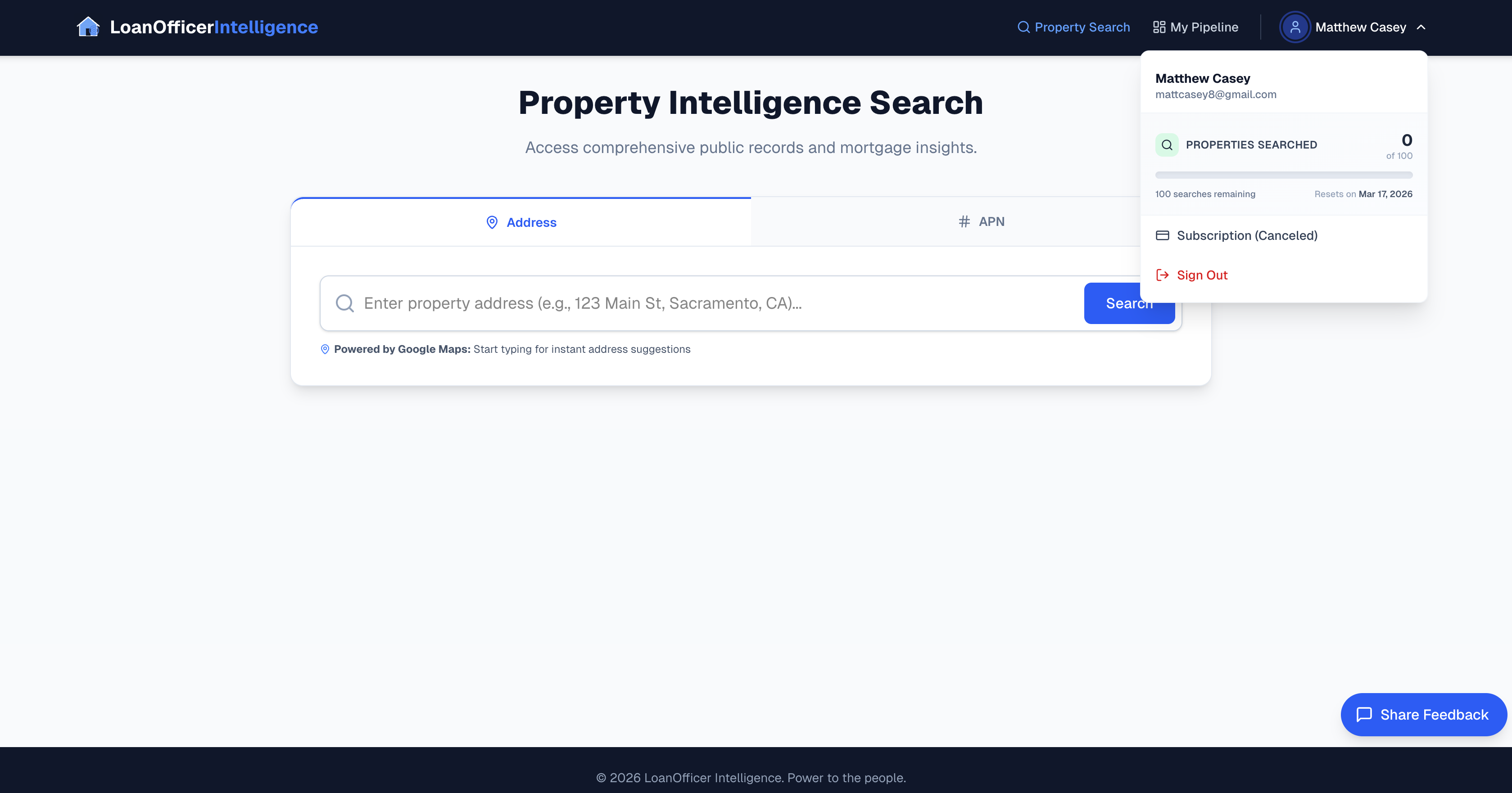
Once logged in, select your name in the top-right corner to open the account dropdown menu. From there, click Subscription to view the available plans. If you have already used your free searches, you will be automatically routed to the subscription page.
Step 3: Choose the Plan That Fits Your Workflow
Loan Officer Intelligence offers published pricing designed for individual loan officers and small teams. Review the available plans and select the one that best matches your monthly search volume and workflow. Whether you are focused on a few high-value refinance leads or running a higher volume of property searches, there is a plan built for how you work.
Step 4: Enter Your Payment Information
Loan Officer Intelligence uses Stripe as its secure payment processor. Enter your card details on the Stripe checkout page to complete your subscription. All payment data is handled directly by Stripe and is never stored on our servers.
Step 5: Start Searching
Once your subscription is active, you are ready to go. Search any property address nationwide and instantly access property records, ownership history, tax records, and mortgage lien data to prepare for live refinance conversations.
You can manage your subscription, update your payment method, and access billing receipts at any time through the account dropdown menu.
Need Help?
If you run into any issues during the subscription process or have questions about which plan is right for you, reach out through the Share Feedback button in the app or contact our support team. We are always happy to help.